
Krypton Authenticator2.5.5 - Google Play
You'll be able to see results in few seconds.
Publisher Description
U2F Security Key
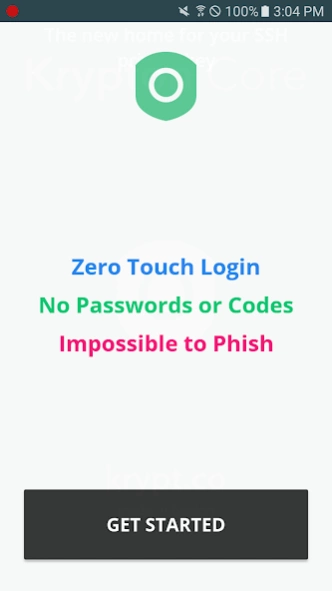
Let's make authentication easy & secure. No more typing 6-digit codes. Zero touch two-factor logins on the web. Immunity to phishing.
Krypton implements the standardized FIDO Universal 2nd Factor (U2F) protocol to provide secure, unphishable two-factor authentication on the web, now in the convenient form factor that is your phone.
- Tired of typing 6-digit codes?
No more mistyping, missing 30 second windows, or waiting endlessly for that SMS.
- Instant Sign-in
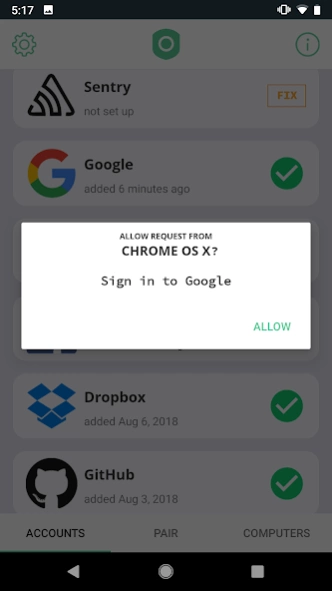
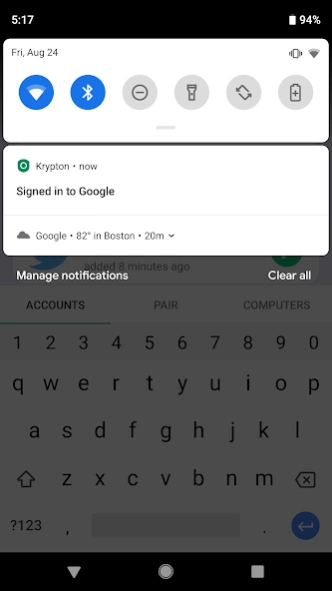
Krypton securely pairs with your computer so that you don't have to touch your phone for each sign-in. Optionally, enable One tap sign-ins for enhanced security.
- Stops Phishing
SMS and authenticator app codes can easily be phished. Don't let that happen to you. Krypton protects you from phishing.
- Works with the sites you love
Google, Facebook, Twitter, Dropbox, GitHub and many more.
- Quickly protect your accounts
Setting up two-factor can be time consuming and repetitive. Just scan once with Krypton.
Get started by pairing Krypton with your browser by downloading our browser extension at: https://krypt.co/start.
>> Are you a developer?
Krypton supports developer mode so you can use Krypton as a security key for SSH and PGP private keys in addition to U2F.
Download our command line utility `curl https://krypt.co/kr | sh` and type `kr pair` to securely pair Krypton with your computer. Krypton integrates with the `ssh` command to send signature requests right to your phone. Krypton also makes signing Git commits and tags with PGP easy: run `kr codesign` to get started.
>> Unbeatable Security
Krypton is built on top of an end-to-end verified and encrypted architecture. This means zero trust. We, Krypt.co, have zero information about keys or where you're authenticating. The keys only live in the Krypton app on your phone.
The source code can be found at github.com/kryptco.
Learn more here: https://krypt.co/docs/security/security-architecture.html.
About Krypton Authenticator
The company that develops Krypton Authenticator is krypt co. The latest version released by its developer is 2.5.5.
To install Krypton Authenticator on your Android device, just click the green Continue To App button above to start the installation process. The app is listed on our website since 2018-10-23 and was downloaded 0 times. We have already checked if the download link is safe, however for your own protection we recommend that you scan the downloaded app with your antivirus. Your antivirus may detect the Krypton Authenticator as malware as malware if the download link to co.krypt.kryptonite is broken.
How to install Krypton Authenticator on your Android device:
- Click on the Continue To App button on our website. This will redirect you to Google Play.
- Once the Krypton Authenticator is shown in the Google Play listing of your Android device, you can start its download and installation. Tap on the Install button located below the search bar and to the right of the app icon.
- A pop-up window with the permissions required by Krypton Authenticator will be shown. Click on Accept to continue the process.
- Krypton Authenticator will be downloaded onto your device, displaying a progress. Once the download completes, the installation will start and you'll get a notification after the installation is finished.
Program Details
System requirements
Download information
Pricing
Version History
version 2.5.5
posted on 2018-10-23
Krypton for Android now supports U2F! No more typing 6-digit codes for your second factor authentication. Krypton U2F provides zero-touch login and is immune to phishing. Get started at https://krypt.co/start. For more information, read our blog post: https://krypt.co/blog/posts/krypton-now-supports-universal-2nd-factor-u2f.html
Disclaimer
Official Google Play Link
We do not host Krypton Authenticator on our servers. We did not scan it for viruses, adware, spyware or other type of malware. This app is hosted by Google and passed their terms and conditions to be listed there. We recommend caution when installing it.
The Google Play link for Krypton Authenticator is provided to you by apps112.com without any warranties, representations or guarantees of any kind, so access it at your own risk.
If you have questions regarding this particular app contact the publisher directly. For questions about the functionalities of apps112.com contact us.
